DHCP option🔗
Introduction to DHCP option
A DHCP option set is a named, reusable set of additional DHCP options that are returned to a device together with its leased IP address and lease time - for example, NTP server addresses. It defines what extra information (attributes), besides the IP address itself, the DHCP service sends back to devices within a subnetwork. It can also be limited to a specified MAC address group, so that only devices in that group receive it. The options added to the list must conform to the format used by FreeRADIUS.
Toolbar🔗
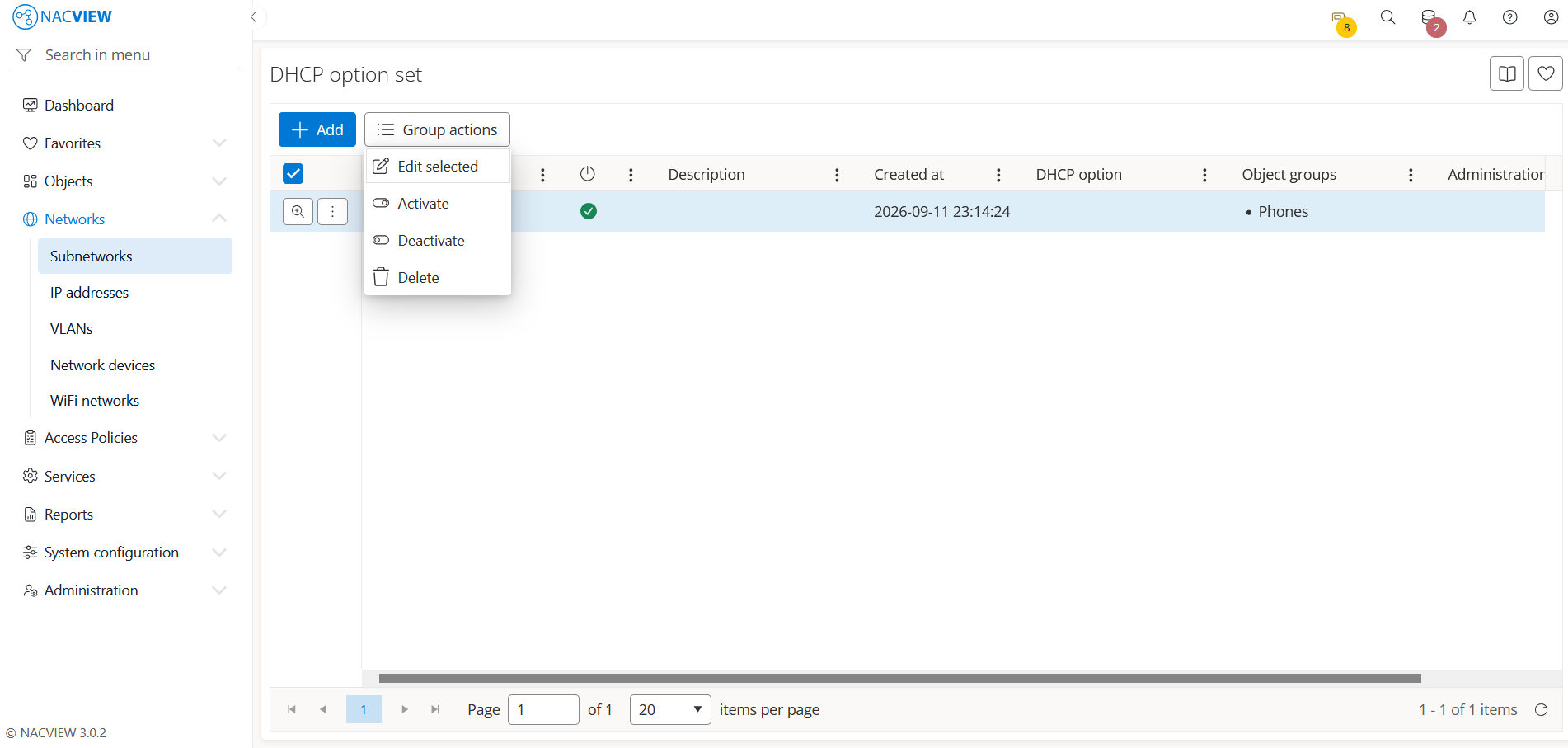
Add button is used to manually add a single new DHCP option set.
Group actions button is used to perform an action on multiple selected DHCP option sets at
once. DHCP option sets can be selected by holding the Ctrl or Shift key while
clicking. The available actions are: Edit selected, Activate, Deactivate, and Delete.
The DHCP option set details panel🔗
The DHCP option set details panel opens when a specific DHCP option set is selected from the list (Details). It displays all information about the selected DHCP option set in one place, in read-only mode. The top of the panel contains action buttons for the selected DHCP option set (Edit, DHCP option, Archive), while below them the full set of the DHCP option set’s attributes is shown, including creation data (Created by), identification data (Name, Description), and status (Is enabled).
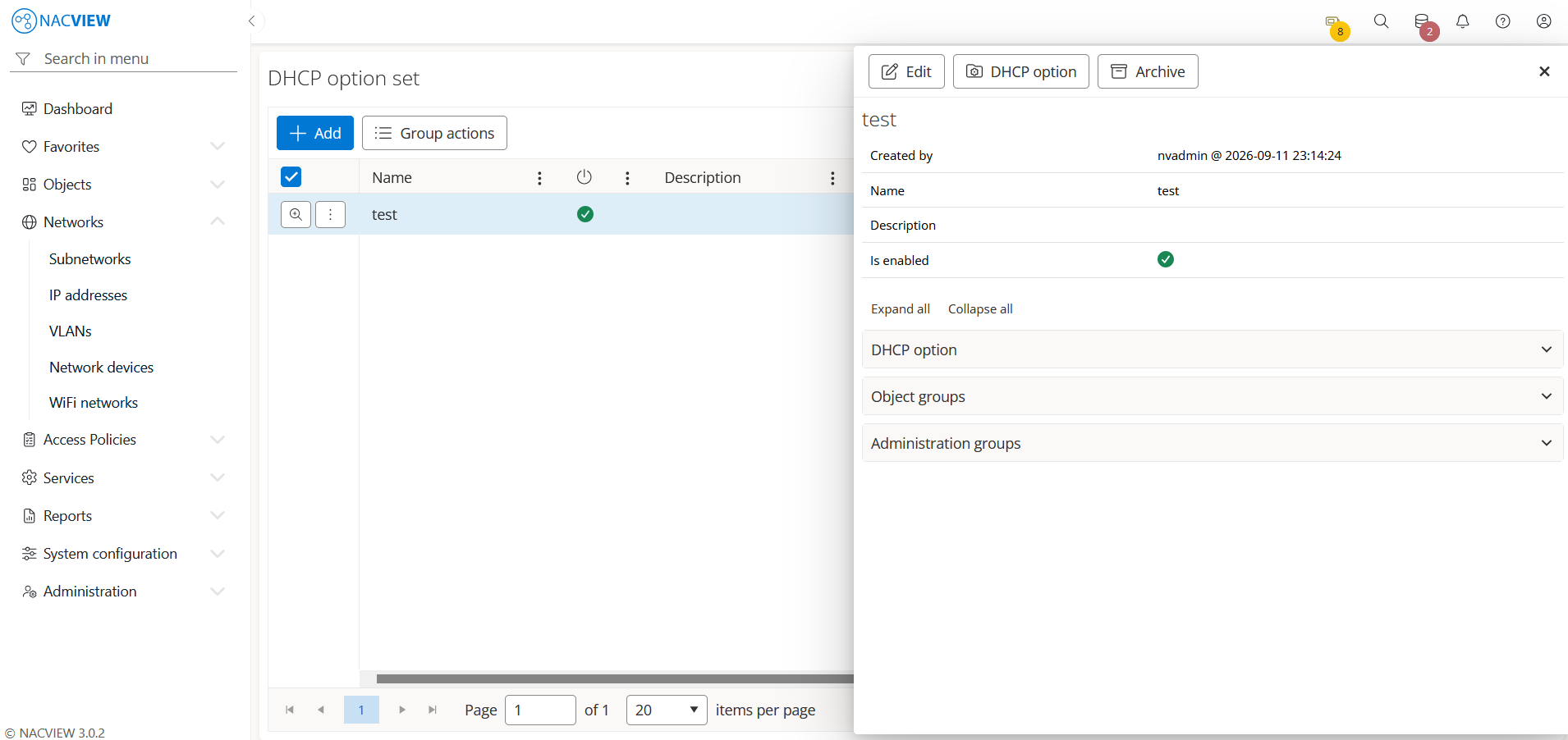
Edit button is used to edit the attributes of the selected DHCP option set.
DHCP option button is used to open the list of DHCP options configured for the selected DHCP option set.
Archive button is used to display the archive records related to the selected DHCP option set, showing when each record was created, by whom, from which IP address, and the object name and type.
Panels🔗
The following expandable panels are available at the bottom of the right-hand side of the details view:
DHCP option - shows the DHCP options configured for this DHCP option set.
Object groups - shows the object groups linked to this DHCP option set.
Administration groups - shows the administration groups allowed to manage this DHCP option set.