Add🔗
Use this method to create a single object certificate directly in the NACVIEW system.
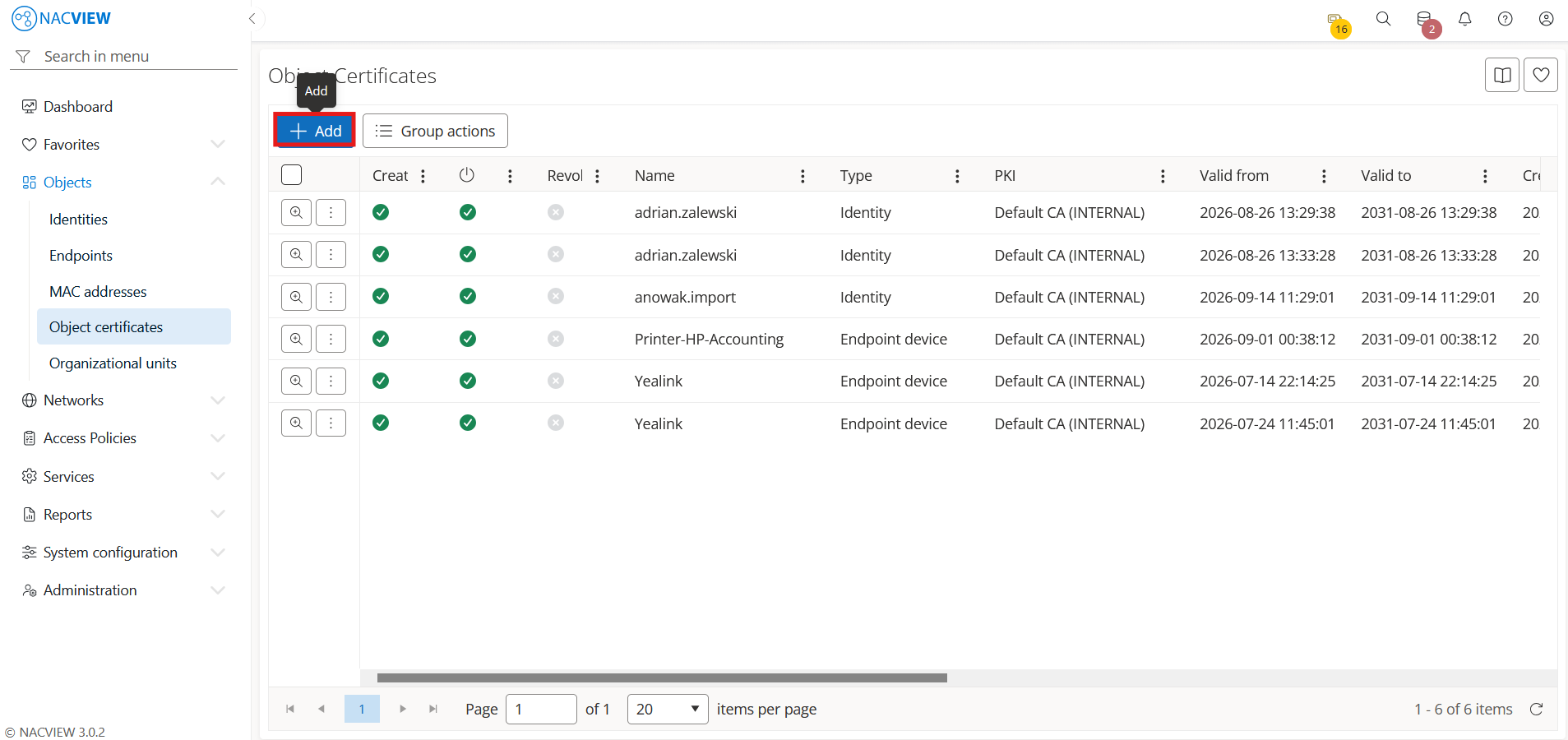
Open Objects and go to Object certificates.
Select the
Addbutton.
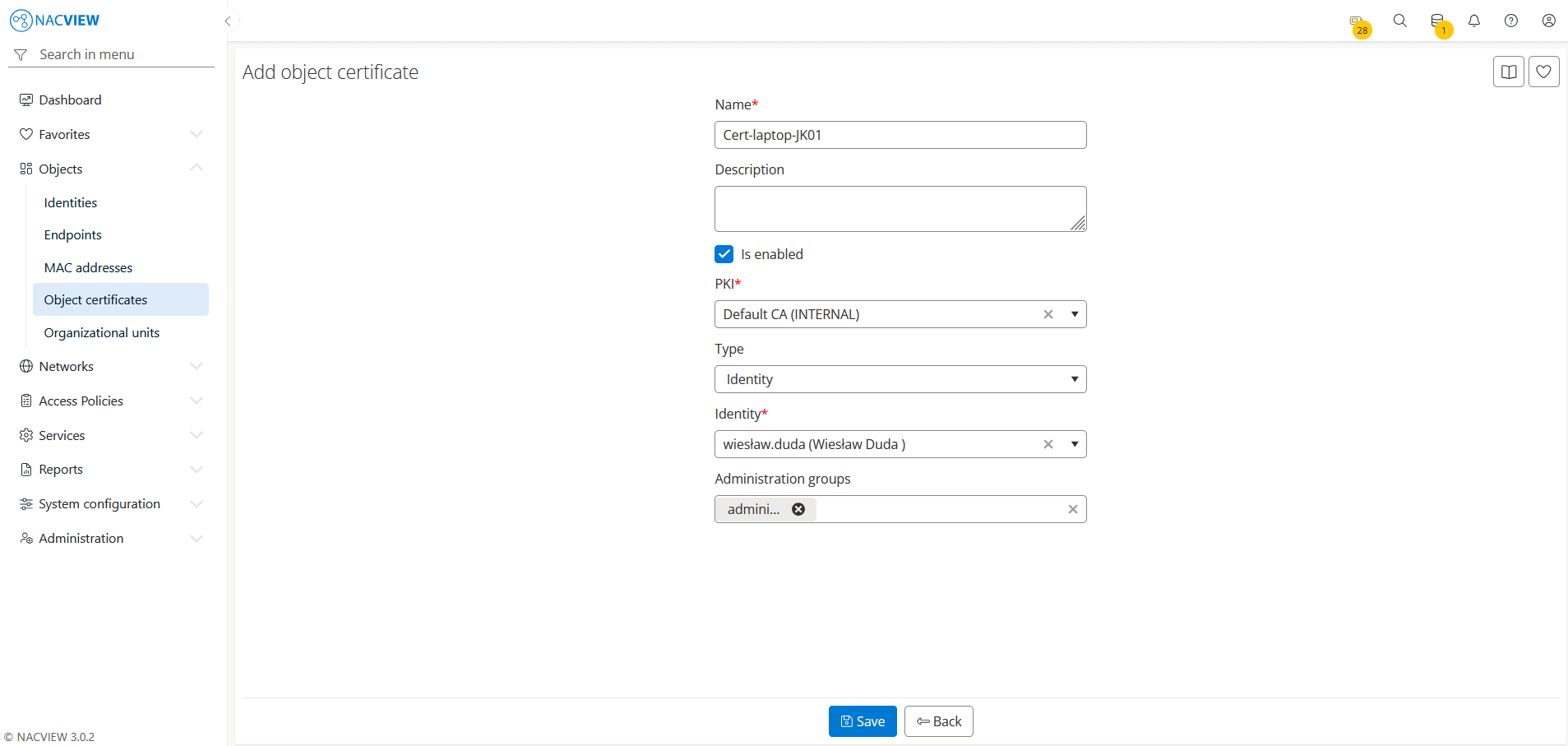
Fill in the object certificate fields for an Identity or Endpoint type.
Note
To add a certificate to the certificate revocation list, edit a previously created certificate and select the Revoked checkbox.
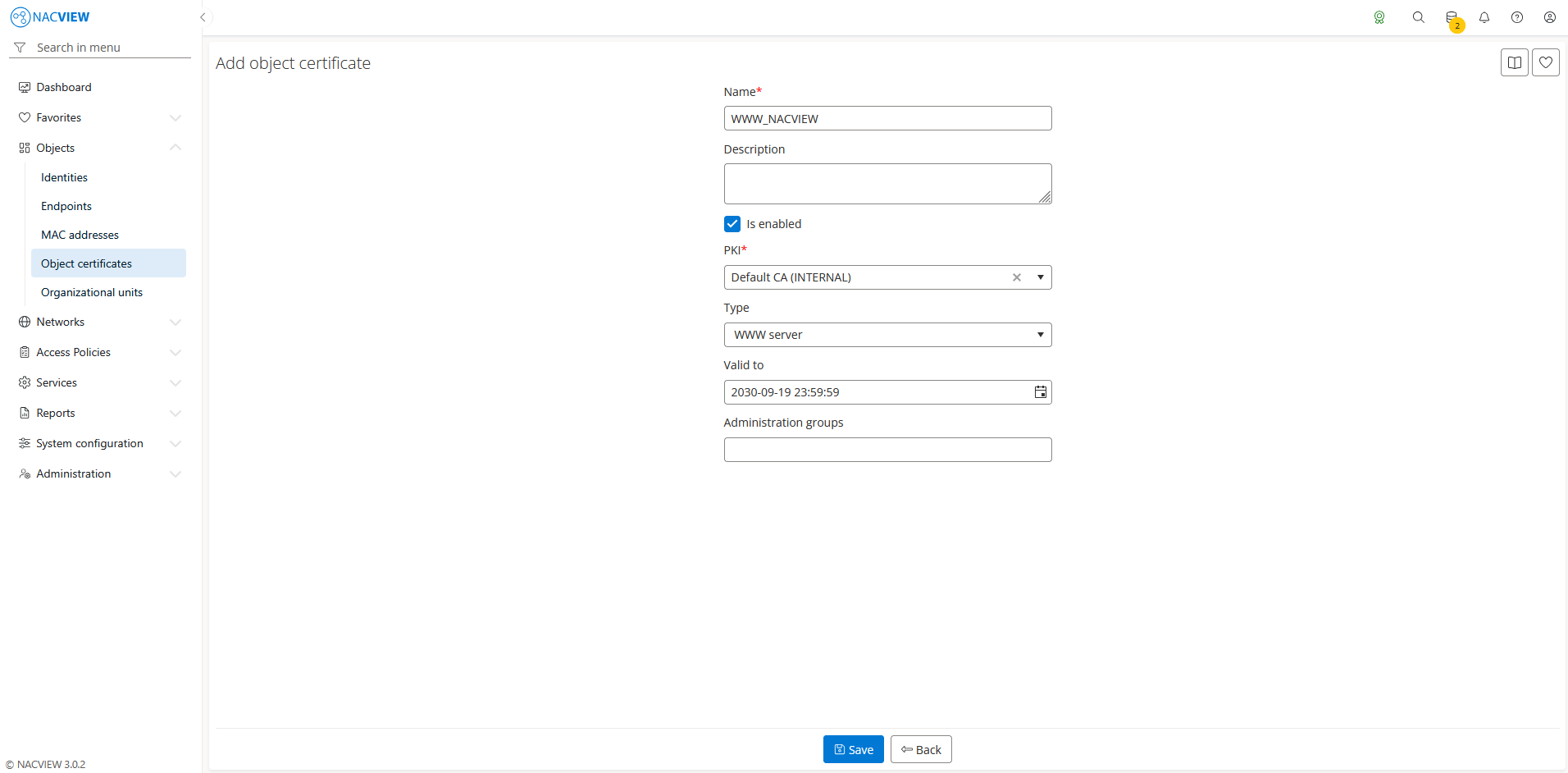
4. Select WWW server type if you want to create a certificate for the NACVIEW web interface using the NACVIEW PKI, and set the Valid to date to define how long the certificate remains valid.
Select the
Savebutton to create the object certificate.
The new certificate appears on the Object certificates list.
Note
To discard your changes without creating the object certificate, select Back button.