VLAN🔗
Introduction to VLAN
This section provides information about VLANs, whose association with subnetworks and administration is managed by the NACVIEW system. A VLAN is a term related to a virtual local area network, extended with additional information related to a specific network segment. In addition to its tag, this information includes: a name, an optional colour identifier, enabled status, an optional description, the subnetworks it is associated with, and the administration groups allowed to manage it. All this information is important in the process of segmenting network traffic and deciding which devices are grouped together at the network level.
System context: VLANs can be created individually (Add) or imported in bulk from a CSV file (Import). The list of VLANs can also be exported to a file (Export). Each VLAN is identified by its Tag (VLAN ID) and can be linked to one or more Subnetworks and to Administration groups allowed to manage it.
Operational Example: When an access policy assigns a device to a specific VLAN, and that VLAN is associated with a subnetwork, the device is addressed from that subnetwork, allowing its traffic to be segmented from devices on other VLANs.
Toolbar🔗
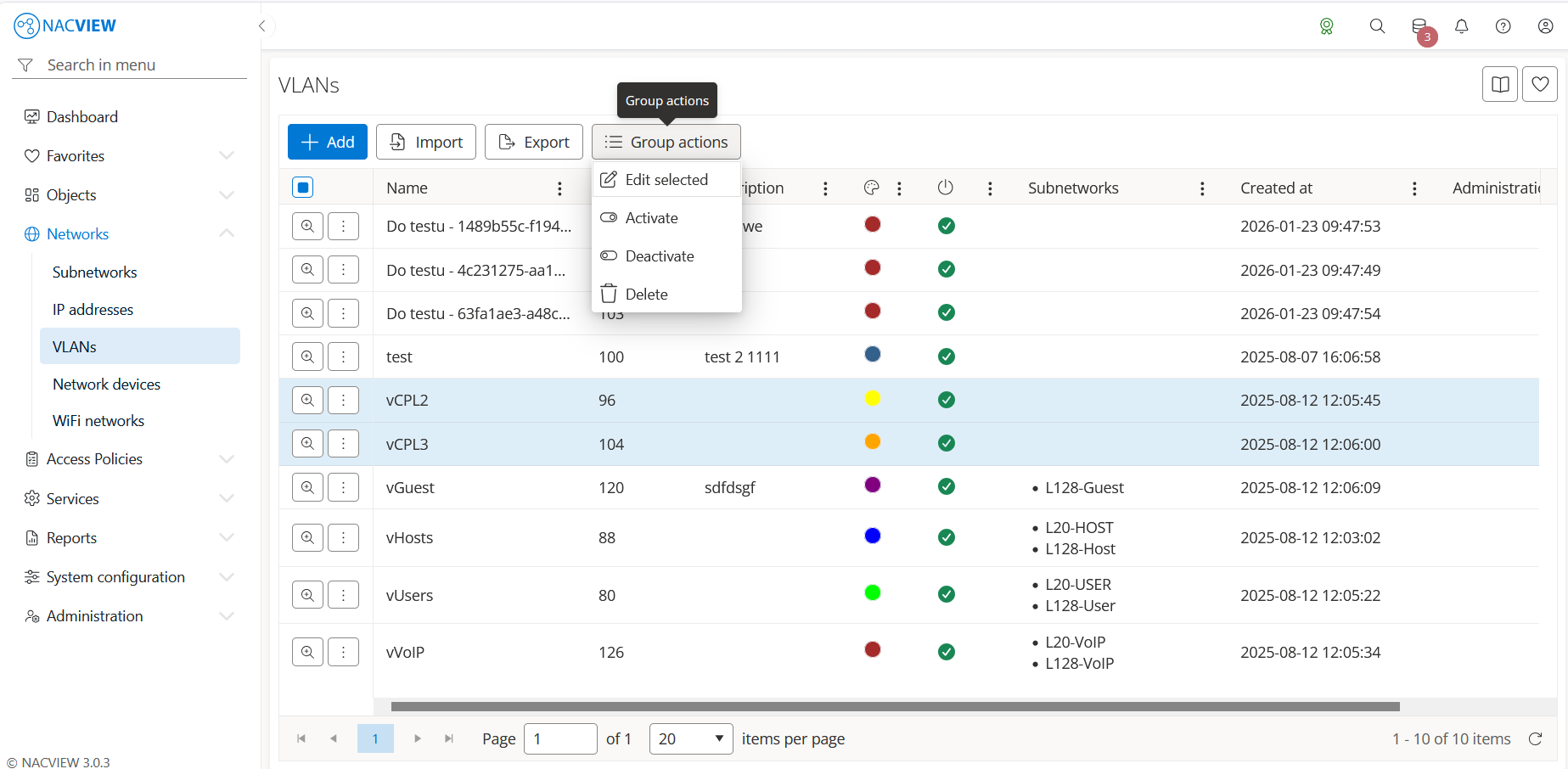
Add button is used to manually add a single new VLAN.
Export button is used to export the list of VLANs from the NACVIEW database to a file.
Import button is used to import multiple VLANs into the local NACVIEW database, e.g. from a CSV file.
Group actions button is used to perform an action on multiple selected VLANs at once. VLANs
can be selected by holding the Ctrl or Shift key while clicking. The available
actions are: Edit selected, Activate, Deactivate, and Delete.
The VLAN details panel🔗
The VLAN details panel opens when a specific VLAN is selected from the list (Details). It displays all information about the selected VLAN in one place, in read-only mode. The top of the panel contains action buttons for the selected VLAN (Edit, Archive), while below them the full set of the VLAN’s attributes is shown, including creation and update data (Created by, Updated by), Name, Tag, Description, Enabled status, and Color identifier.
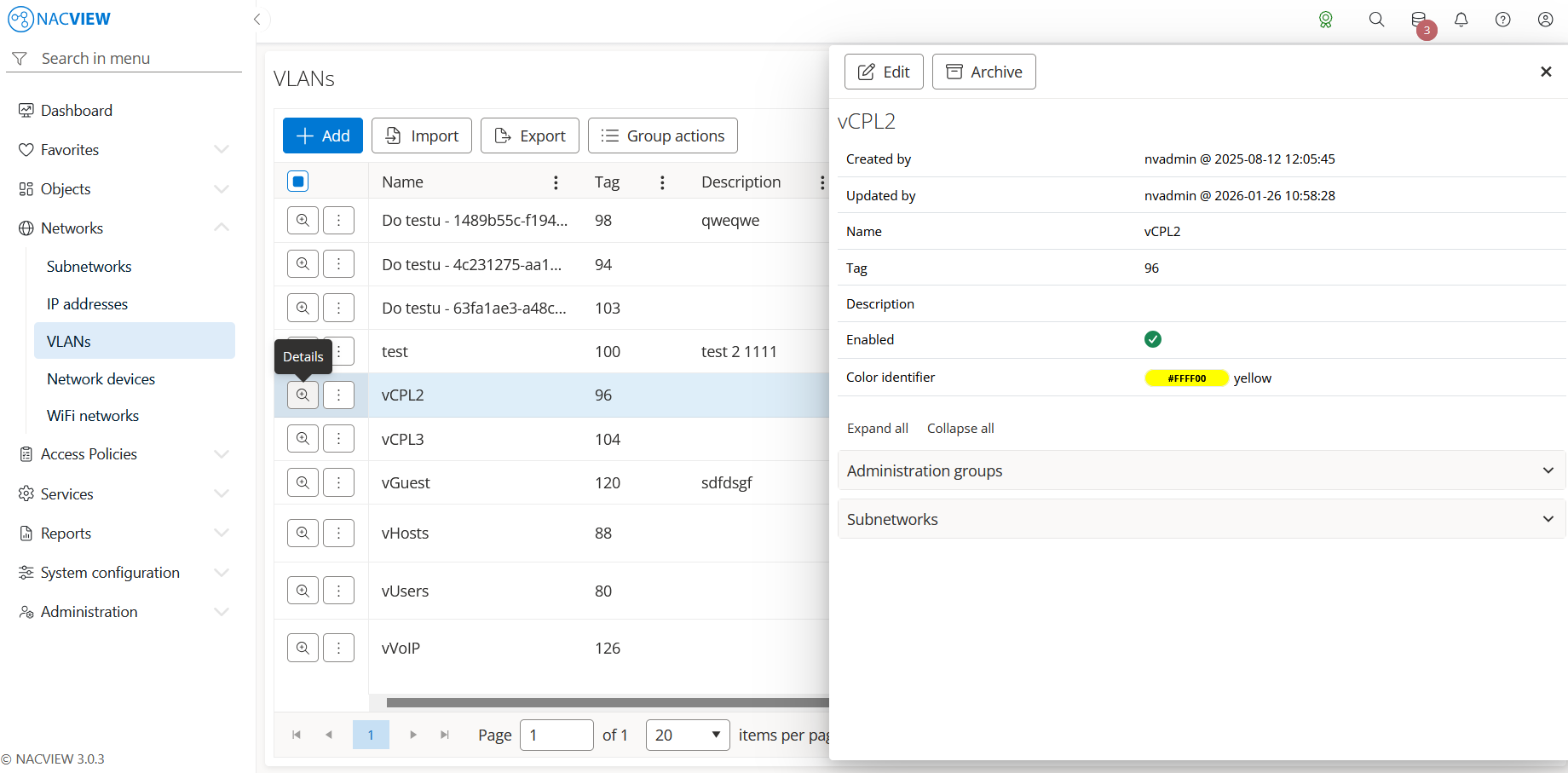
Edit button is used to edit the attributes of the selected VLAN.
Archive button is used to display the archive records related to the selected VLAN, showing when each record was created, by whom, from which IP address, and the object name and type.
Panels🔗
The following expandable panels are available at the bottom of the right-hand side of the details view:
Administration groups - shows the administration groups allowed to manage this VLAN.
Subnetworks - shows the subnetworks associated with this VLAN.
See also
For instructions on how to configure VLANs step by step, see Configuration Guides → VLAN configuration.