MAC address🔗
Introduction to MAC address
This section provides information about MAC addresses, whose network access can be managed by the NACVIEW system. A MAC address is the hardware address that uniquely identifies a device’s network interface. In NACVIEW a MAC address is an object that can be linked to an Endpoint device and is used primarily to authorize devices via MAC Authentication Bypass (MAB) when they do not support 802.1X. In addition to the address value itself, this information includes: the recognised vendor, description, assigned Endpoint device, IP addresses, status, and other attributes. This information can be used in the process of deciding whether to grant the device access to the enterprise network.
System context: MAC addresses can be created individually, imported in bulk from a CSV file into the local NACVIEW database, or registered automatically when a previously unknown device connects to the network (auto-registration). NACVIEW automatically recognises the device Vendor based on the MAC address prefix (OUI), and can indicate whether the address was learned through profiling (Is profiled) and whether it belongs to a wireless client (Wireless). Each MAC address can be assigned to an Endpoint device, which represents the physical device that owns the interface, and can carry one or more IP addresses. Similar MAC addresses can be grouped (e.g. printers, IP cameras, or corporate laptops). Groups are created in Administration > Object groups. Groups of MAC addresses can then be used to create access policies (e.g. a MAB policy that grants a dedicated VLAN to all known printers).
Operational Example: When a network printer that does not support 802.1X connects to the corporate network, NACVIEW reads its MAC address, checks it against the known MAC address objects and their group, and applies the MAB access policy assigned to that group of devices.
Toolbar🔗
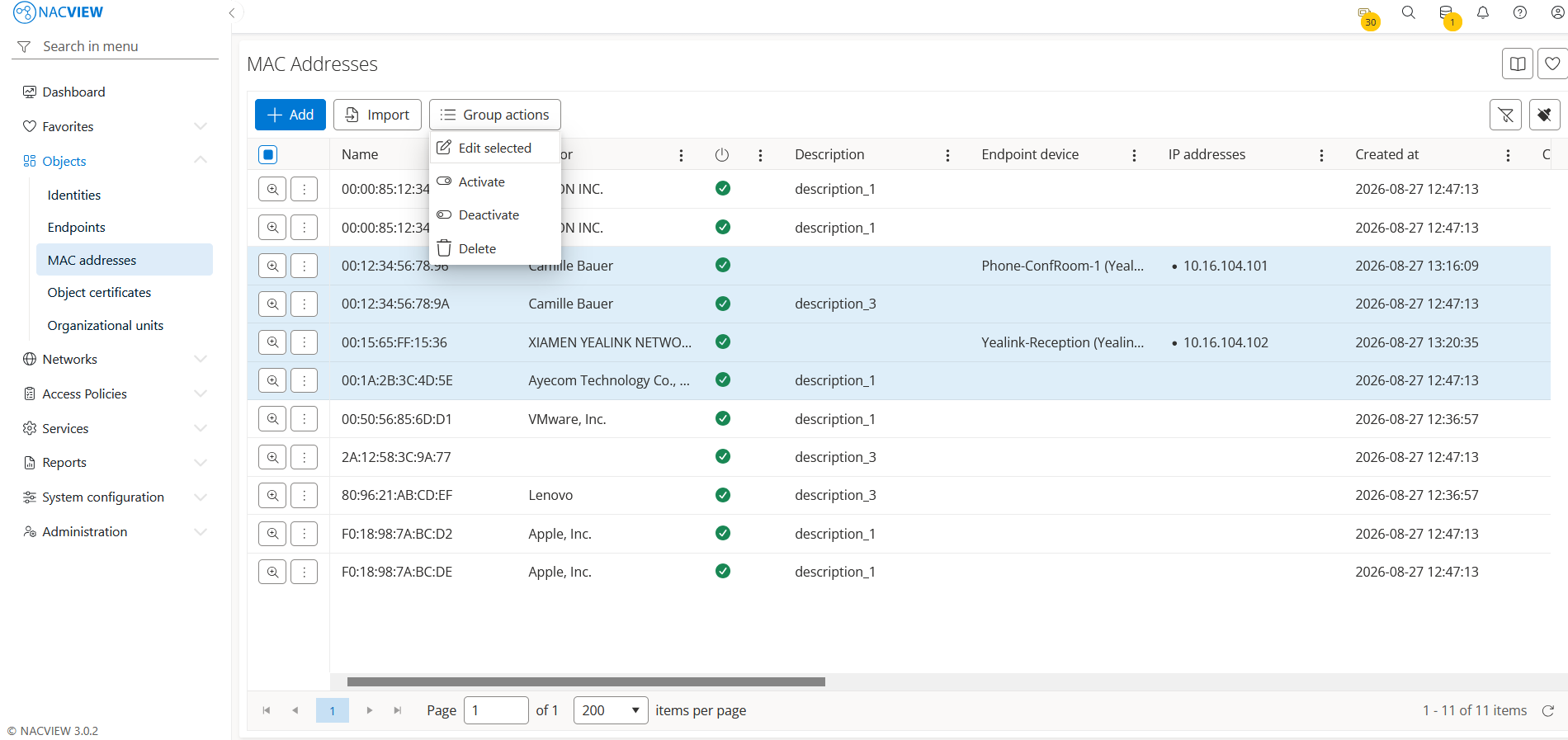
Add button is used to manually add a single new MAC address.
Import button is used to import multiple MAC addresses from a CSV file into the local NACVIEW database.
Group actions button is used to perform an action on multiple selected MAC
addresses at once. MAC addresses can be selected by holding the Ctrl or
Shift key while clicking.
The MAC address details panel🔗
The MAC address details panel opens when a specific MAC address is selected from the list. It displays all information about the selected address in one place, in read-only mode. The top of the panel contains action buttons for the selected MAC address (Edit, Wake on LAN, Archive), while below them the full set of the MAC address attributes is shown, including update data (Updated by), the address value (Name), the recognised Vendor, whether it is a Wireless client, the description, the status (Is enabled), the assigned Endpoint device, whether it was learned through profiling (Is profiled), additional custom attributes (Custom 1-4), and the Force IP address setting.
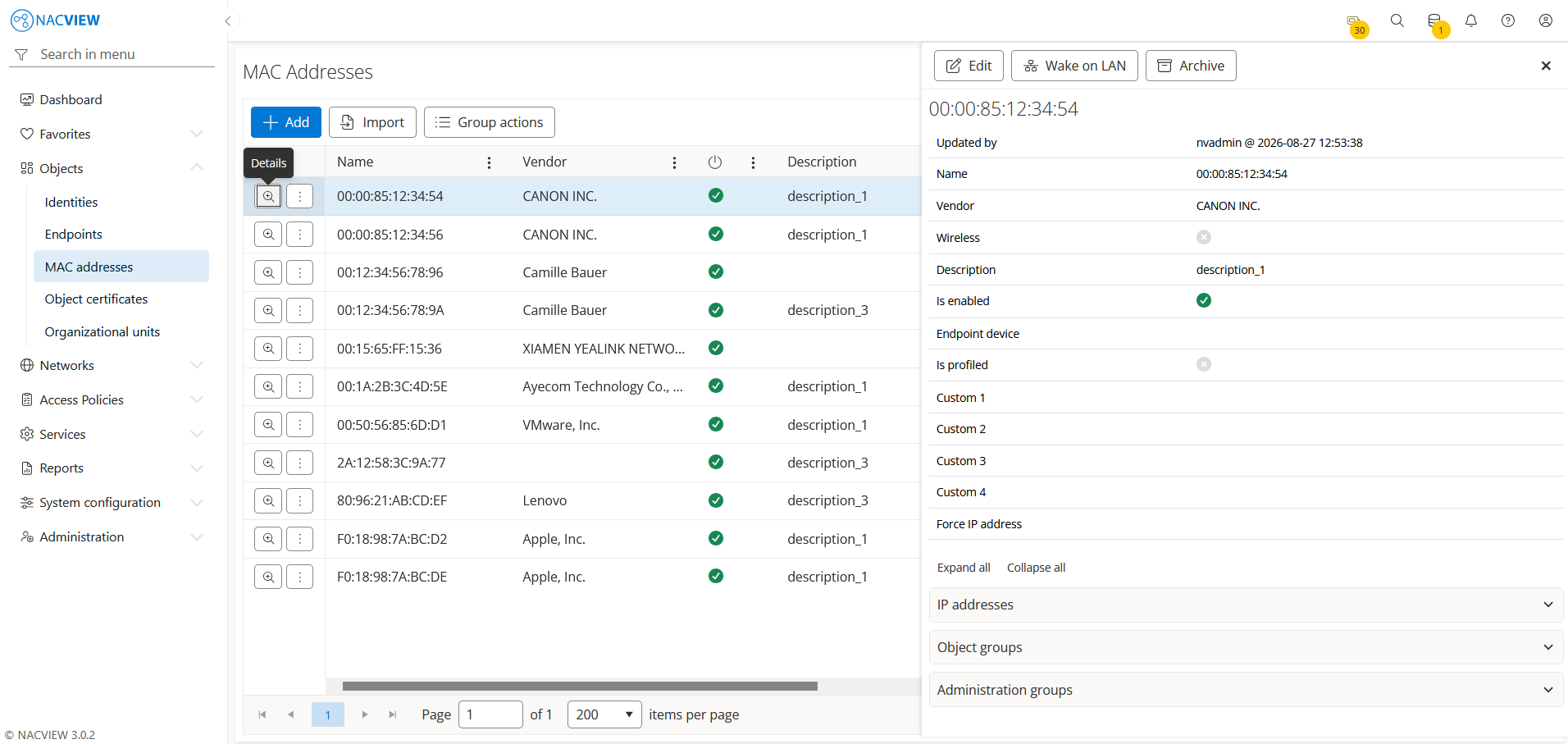
Edit button is used to edit the attributes of the selected MAC address.
Wake on LAN button is used to send a Wake on LAN (WoL) packet to the selected MAC address in order to power on the associated device remotely.
Archive button is used to display the archive records related to the selected MAC address, showing when each record was created, by whom, from which IP address, and the object name and type.
Panels🔗
The following expandable panels are available at the bottom of the right-hand side of the details view:
IP addresses - shows the IP addresses associated with this MAC address.
Object groups - shows the object groups to which this MAC address belongs (used for policy configuration).
Administration groups - shows the administration groups that can manage this MAC address.
See also
For instructions on how to configure MAC addresses step by step, see Configuration Guides → MAC address configuration.