cnMatrix (LAN)🔗
Assigning a switch to a switch group🔗
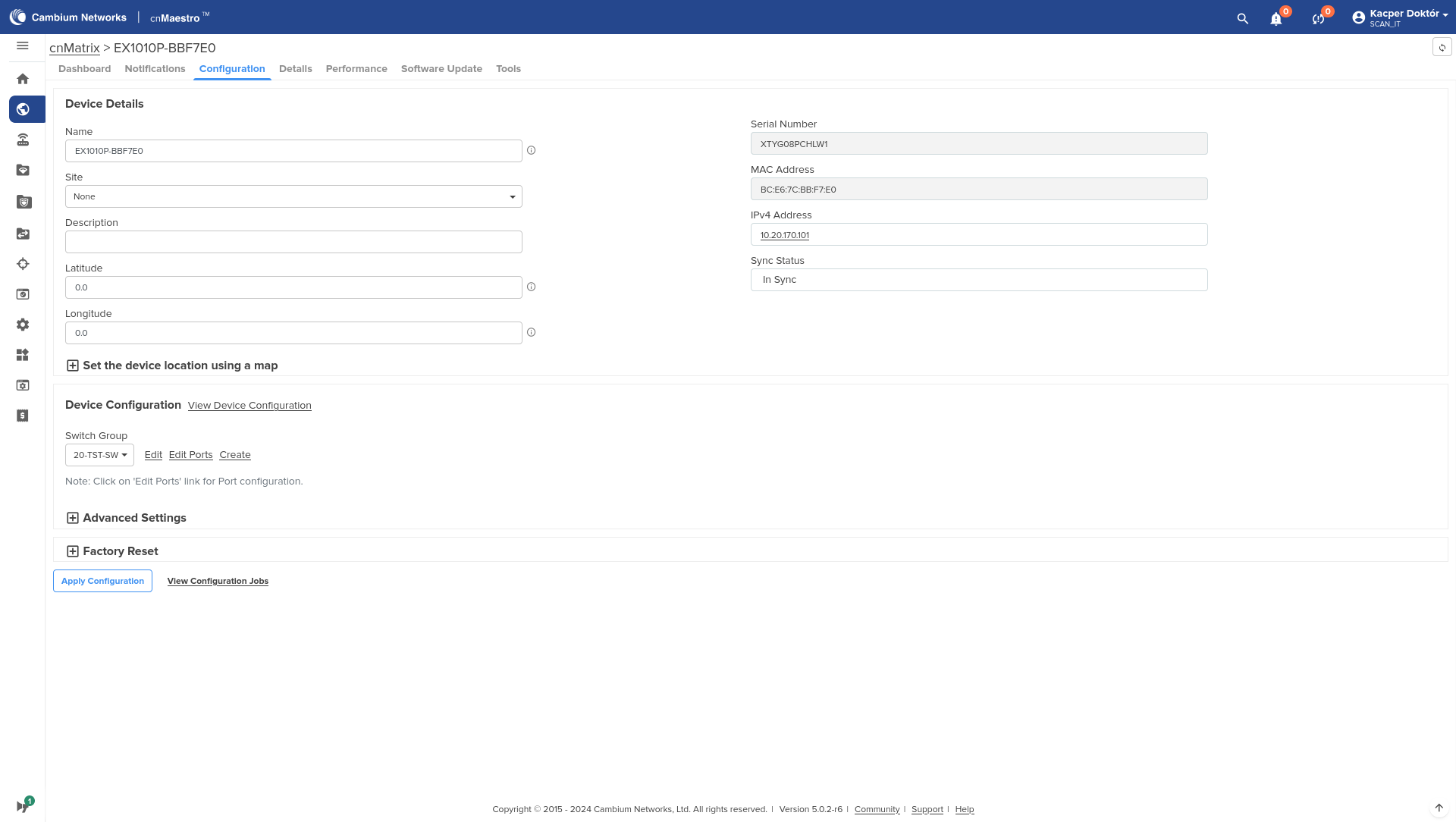
Select the Devices tab, go to the Switches tab and select the switch. Go to the Configuration tab and select the group to which the switch should belong.
Switch group configuration🔗
After logging in to the management panel, select the Switch Groups tab and create a new group or modify an existing one.
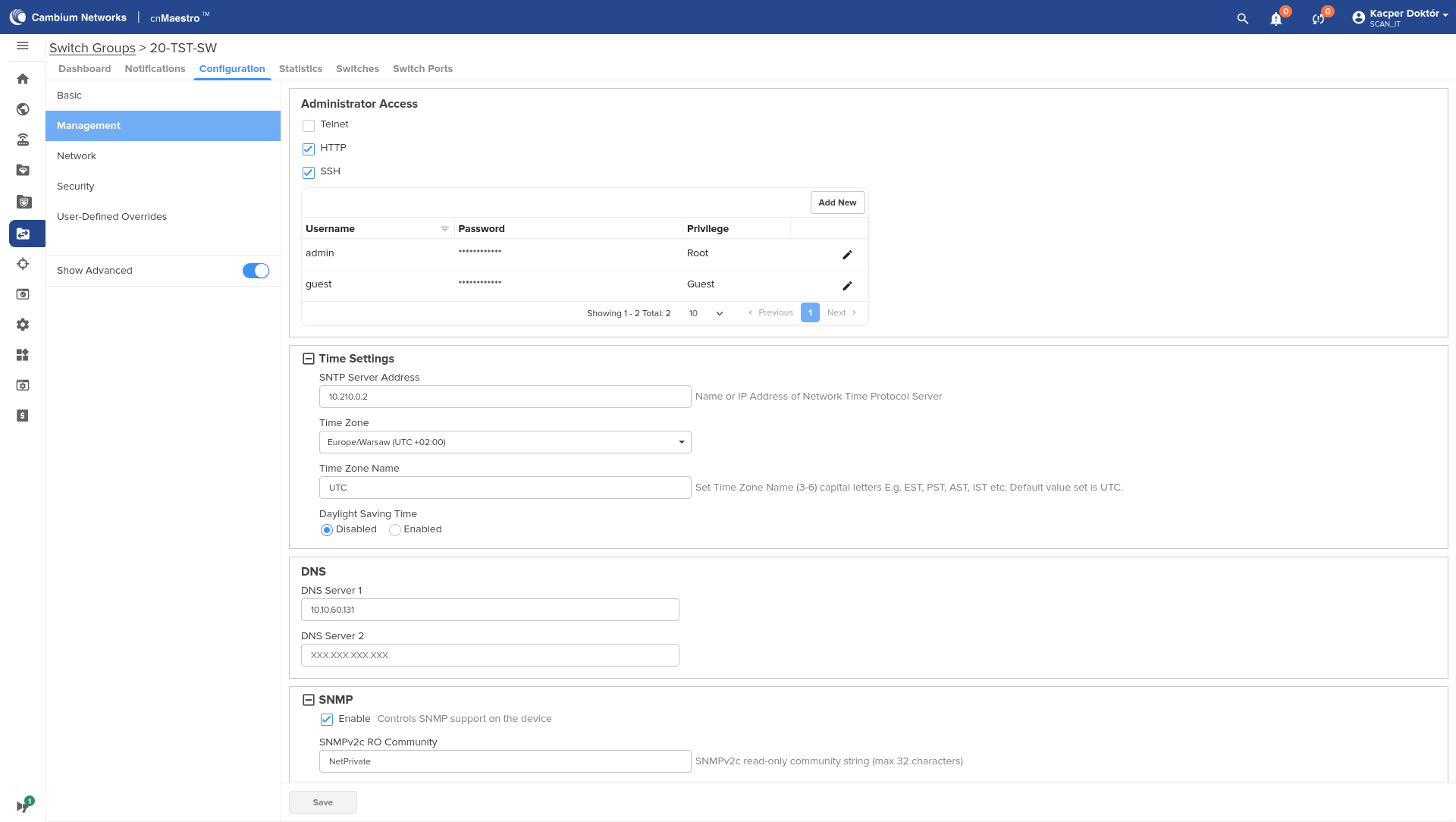
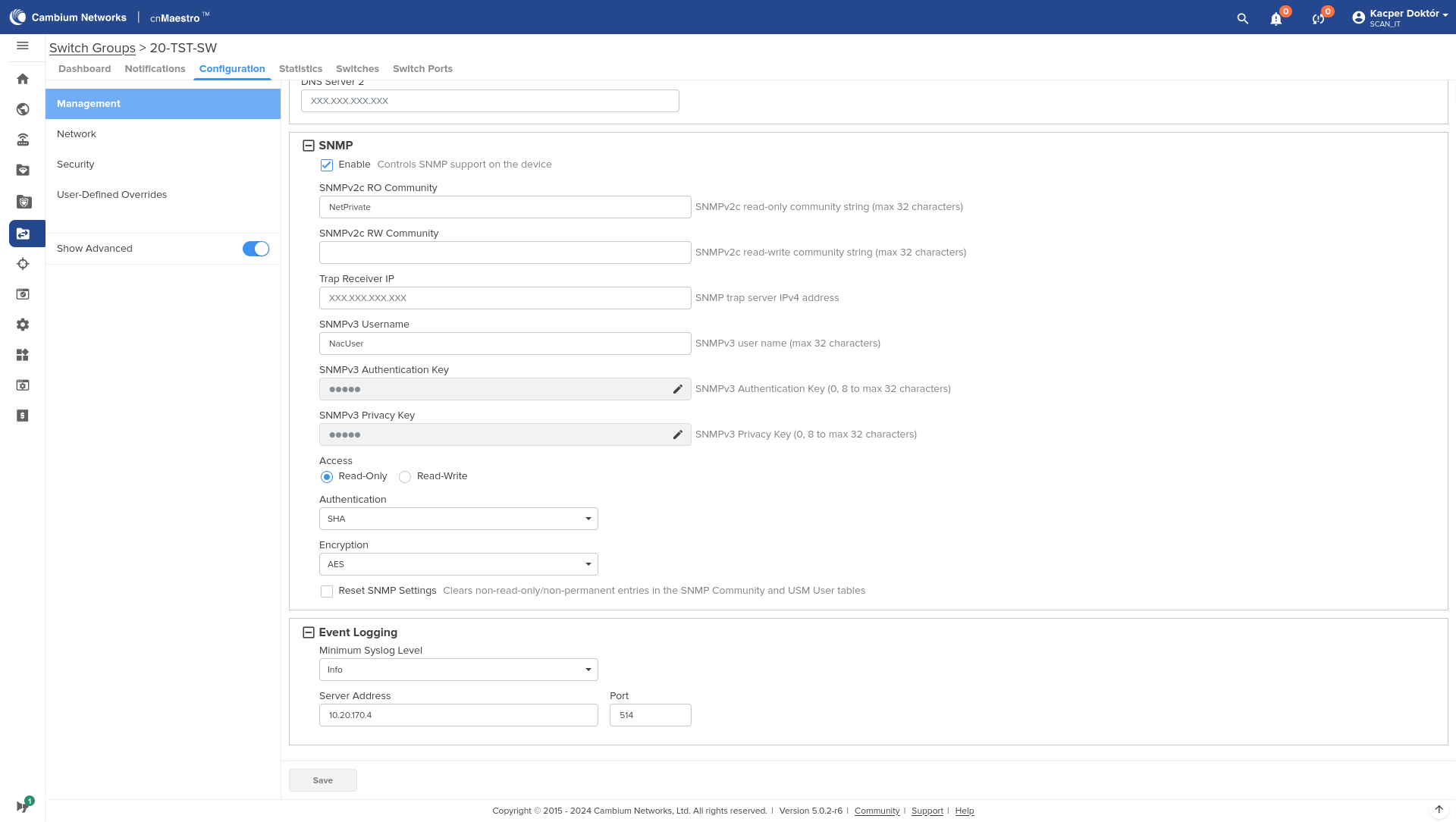
Go to the Configuration section, to the Management tab. Here we specify the SNMP, NTP, syslog and administrative access settings:
Go to the Network tab. Select the DHCP Snooping option.
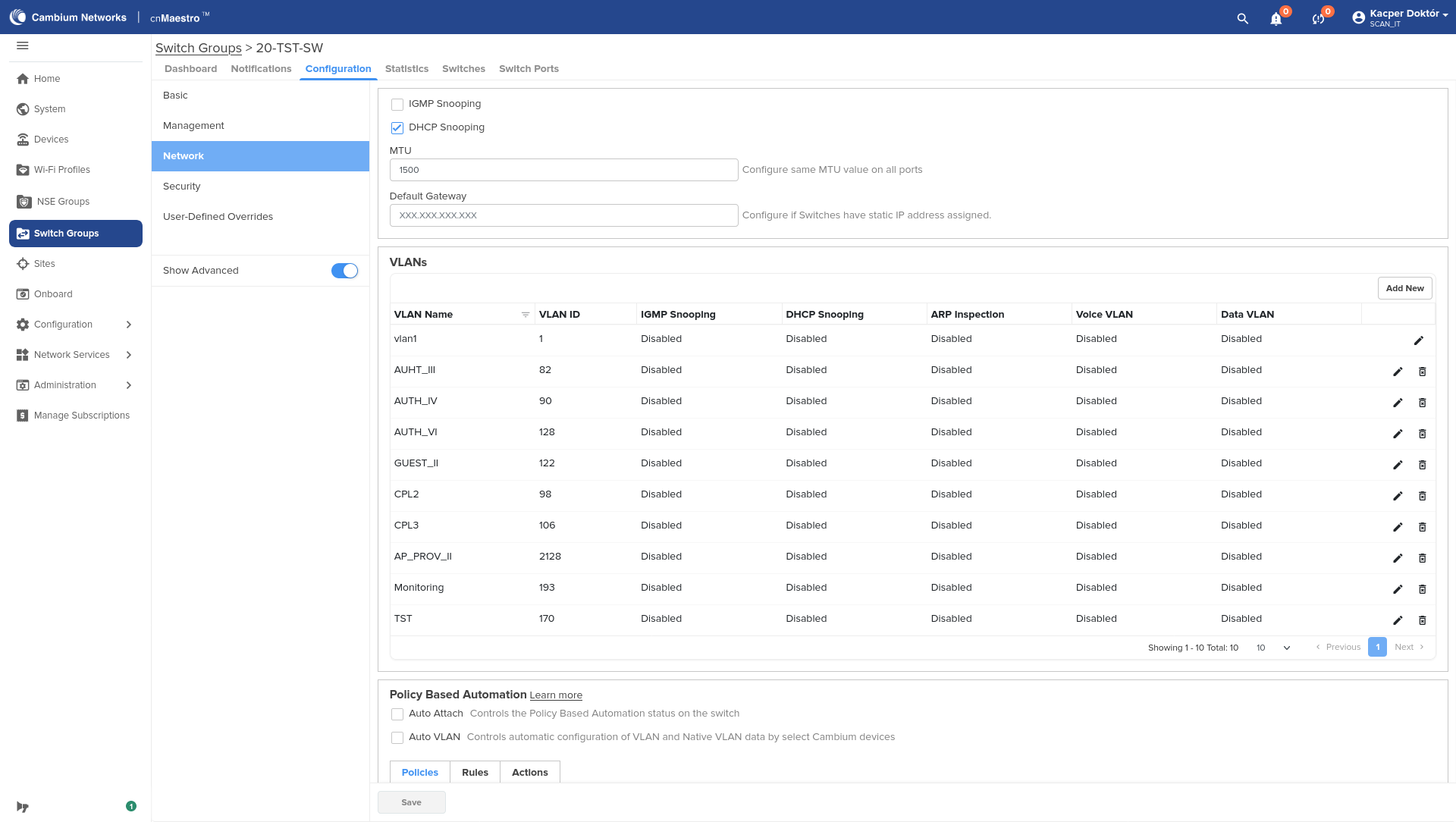
VLAN Voice🔗
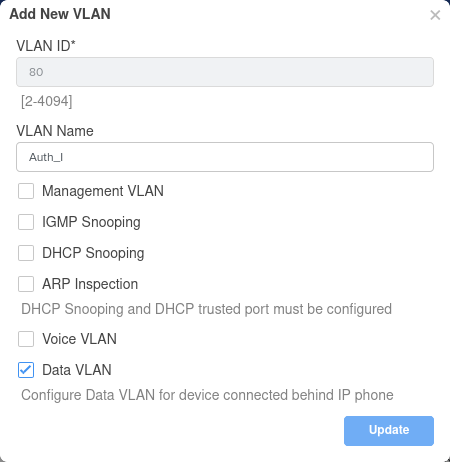
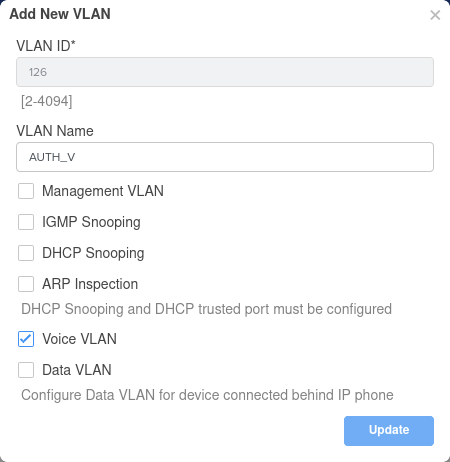
Here you should also specify the VLANs for the VoIP service: one for the voice domain (Voice) and one for the data domain (Data).
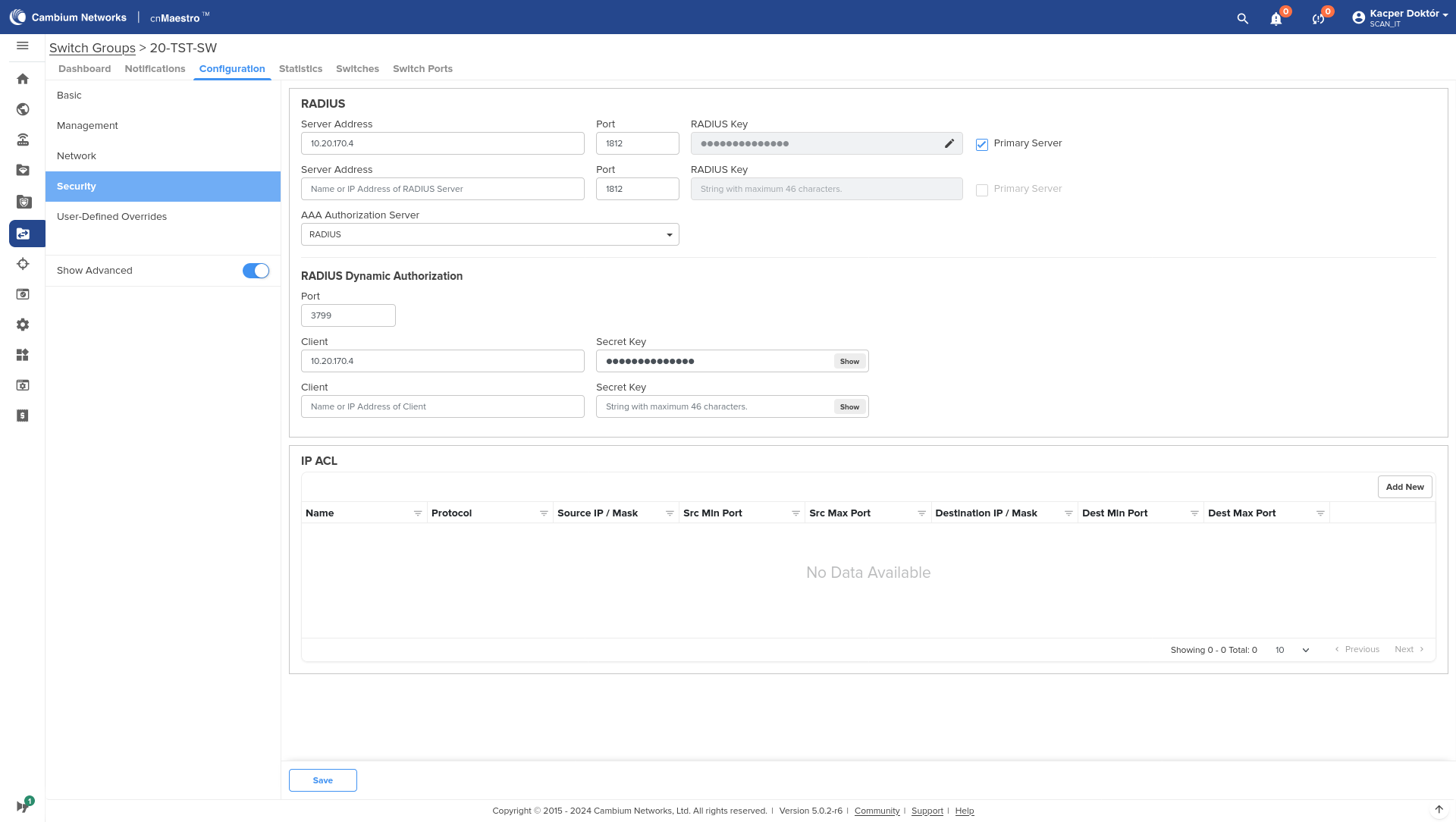
Go to the Security tab. Enter the IP, keys, and RADIUS ports.
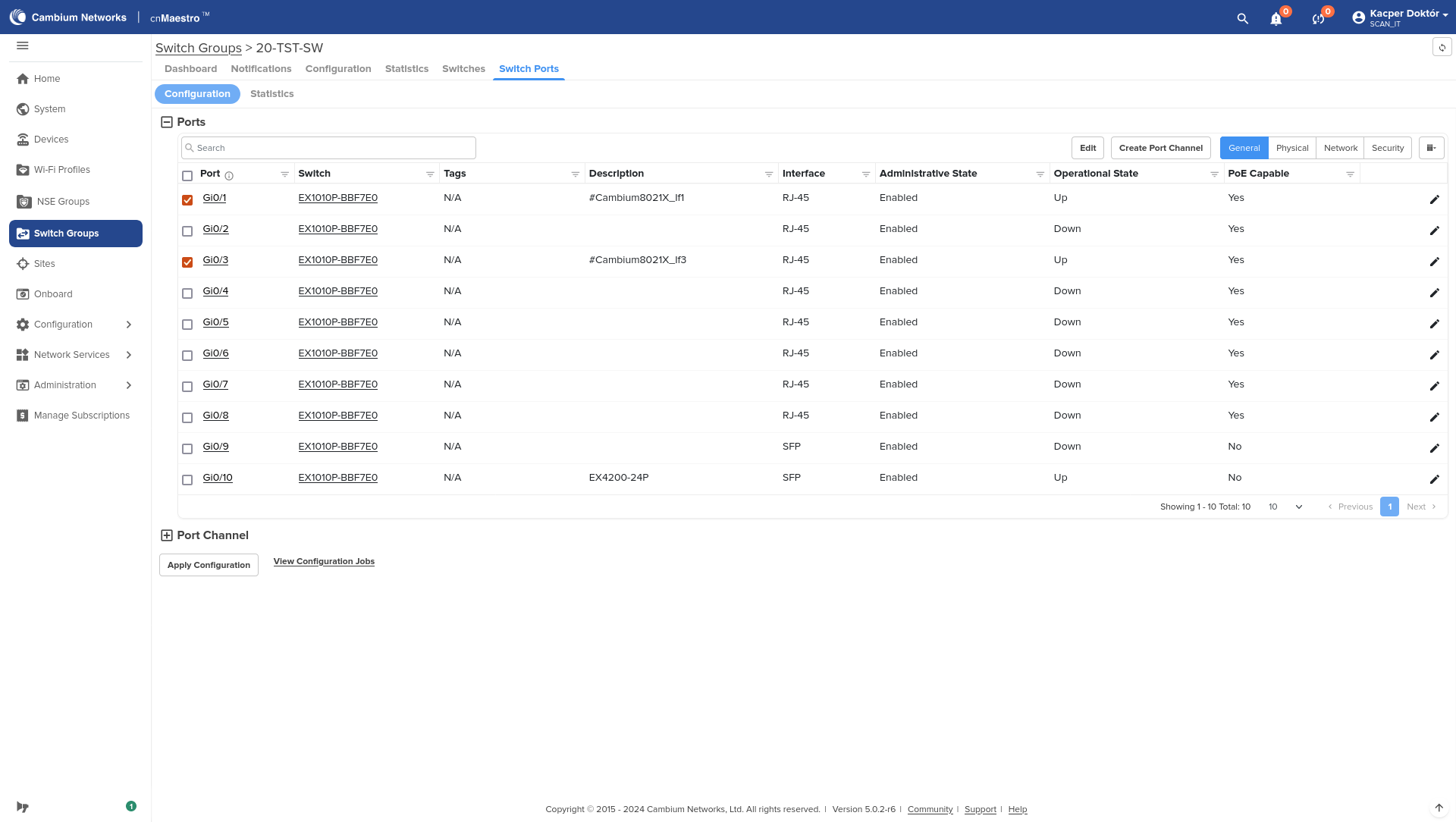
Go to the Switch Ports section. Select the ports to edit, then select Edit.
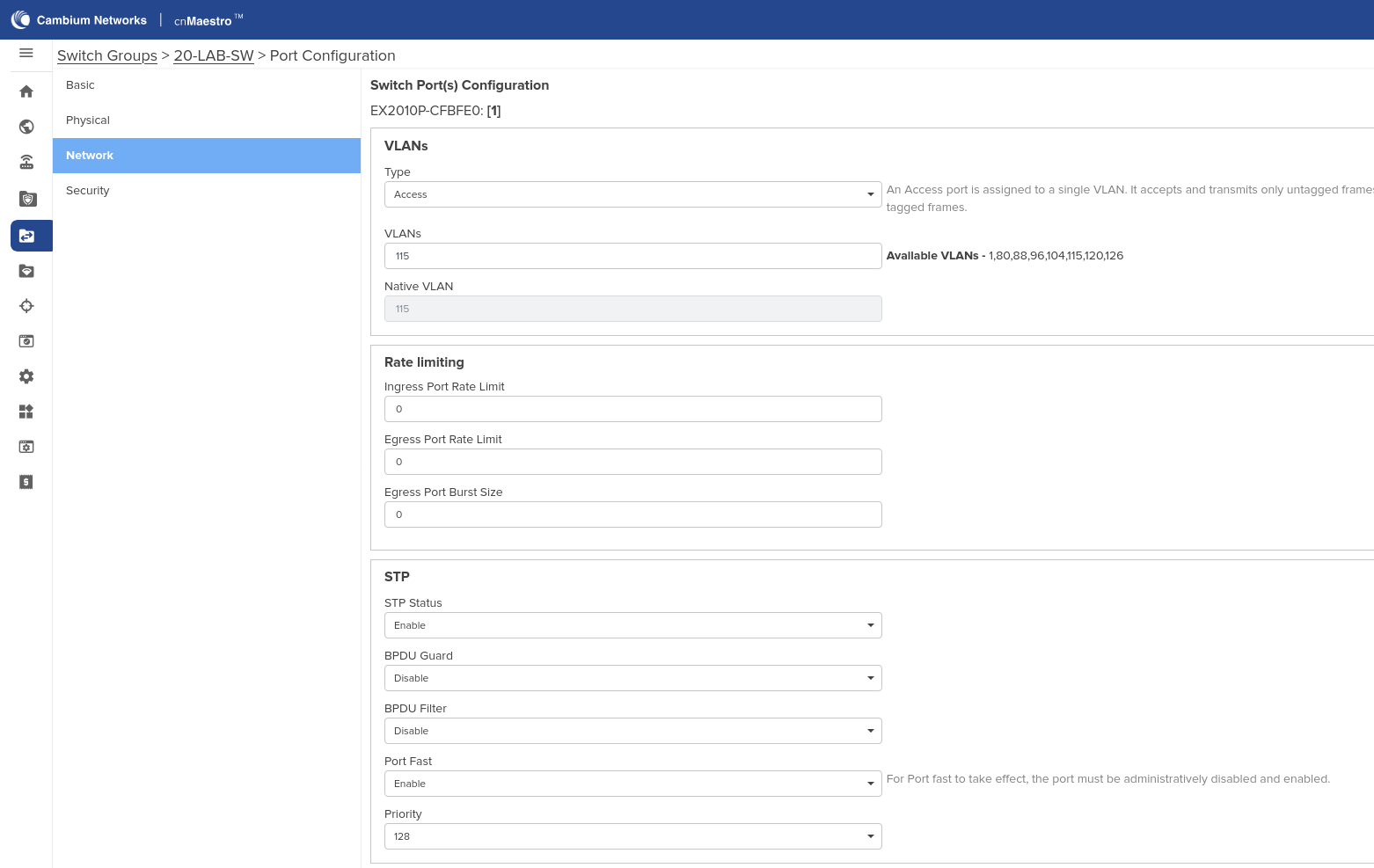
Go to the Network tab. We set the ports as Access, specify the default VLAN and disable STP (or enable the Port Fast option.)
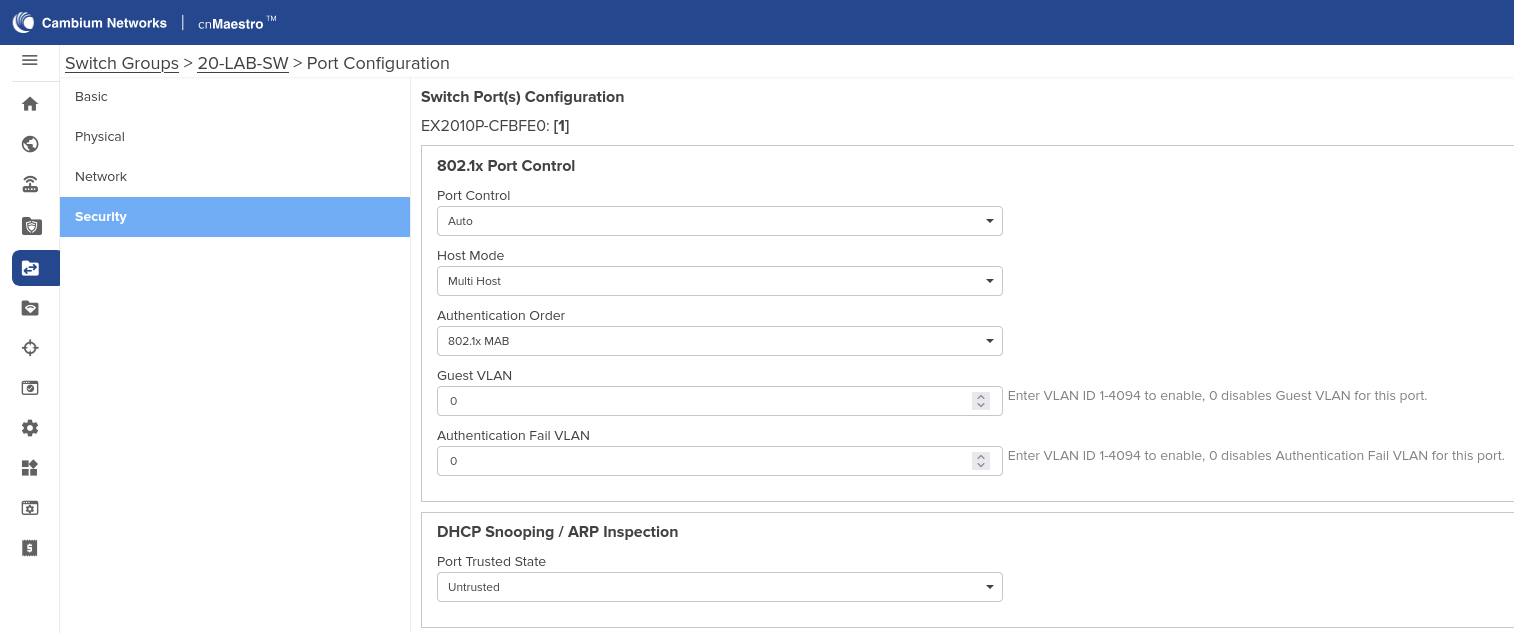
Go to the Security tab. Set Port Control to Auto, Host Mode to Multi Host, MAC Authentication Bypass to Enable. Set DHCP Snooping to Untrusted.
Save.
VoIP Port (multi-domain)🔗
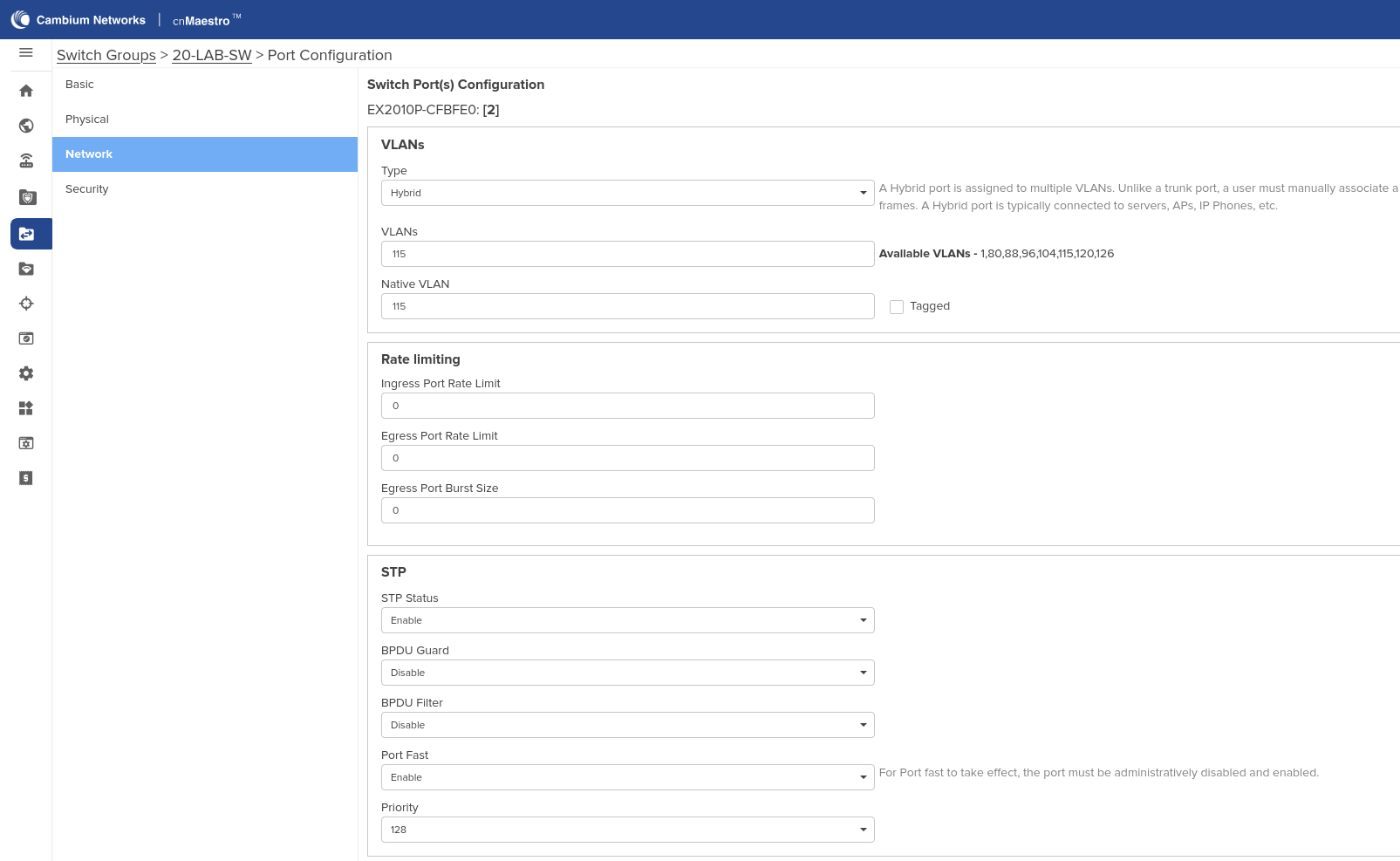
Go to the Network tab. We set the ports as Hybrid, specify the default VLAN and disable STP (or enable the Port Fast option.)
If the phone supports the LLDP-MED functionality, it should also be enabled on the switch.

Go to the Security tab. Set Port Control to Auto, Host Mode to Multi Host, MAC Authentication Bypass to Enable. Set DHCP Snooping to Untrusted.
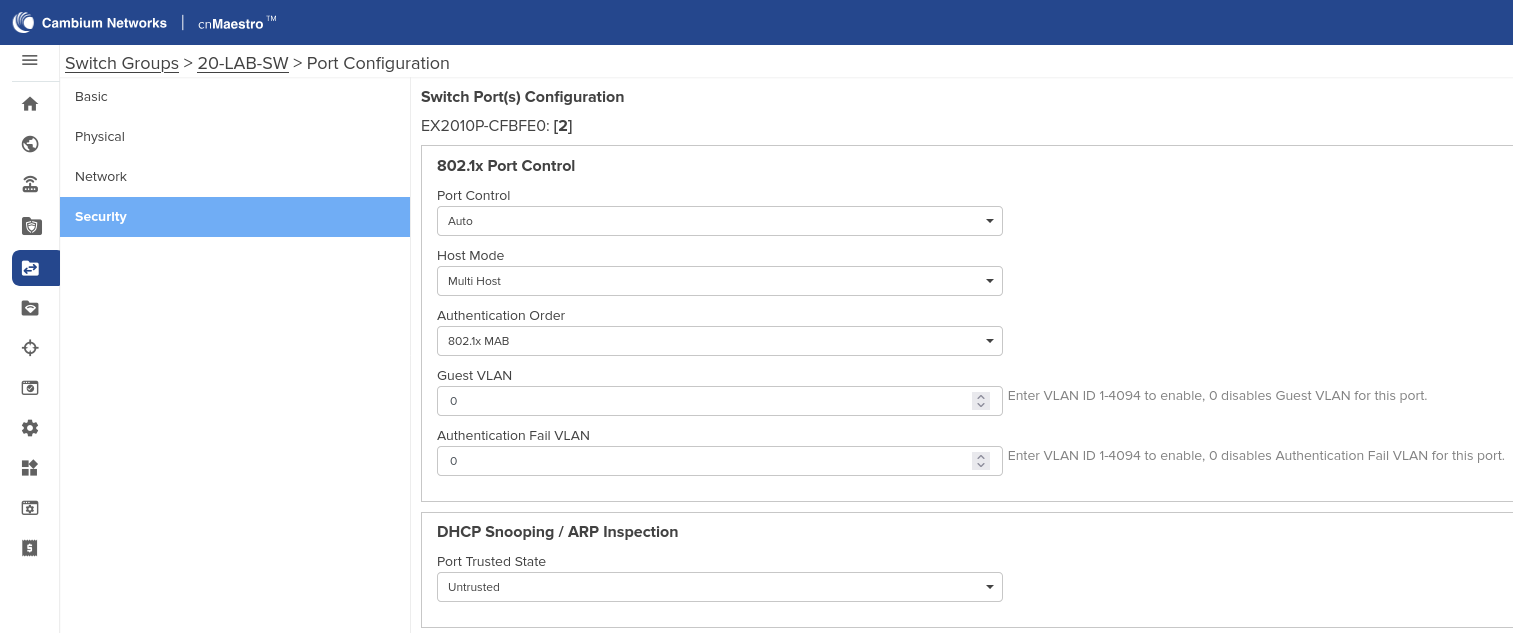
The port in VoIP mode will, regardless of the VLAN returned from NV, assign the Voice and Data VLANs as tagged and untagged VLANs, respectively.
Port CP🔗
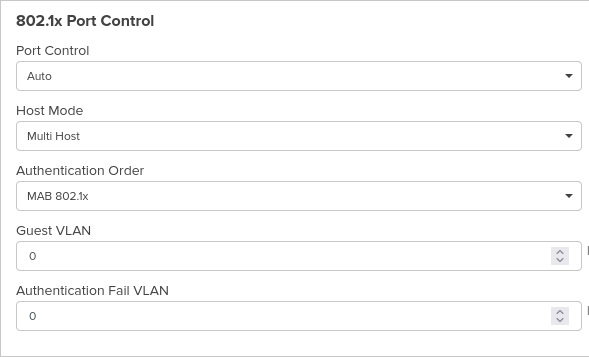
The guest access port is configured like an access port, but the authorization order should be changed to MAB 802.1x.
Reauthentication (CoA) settings🔗
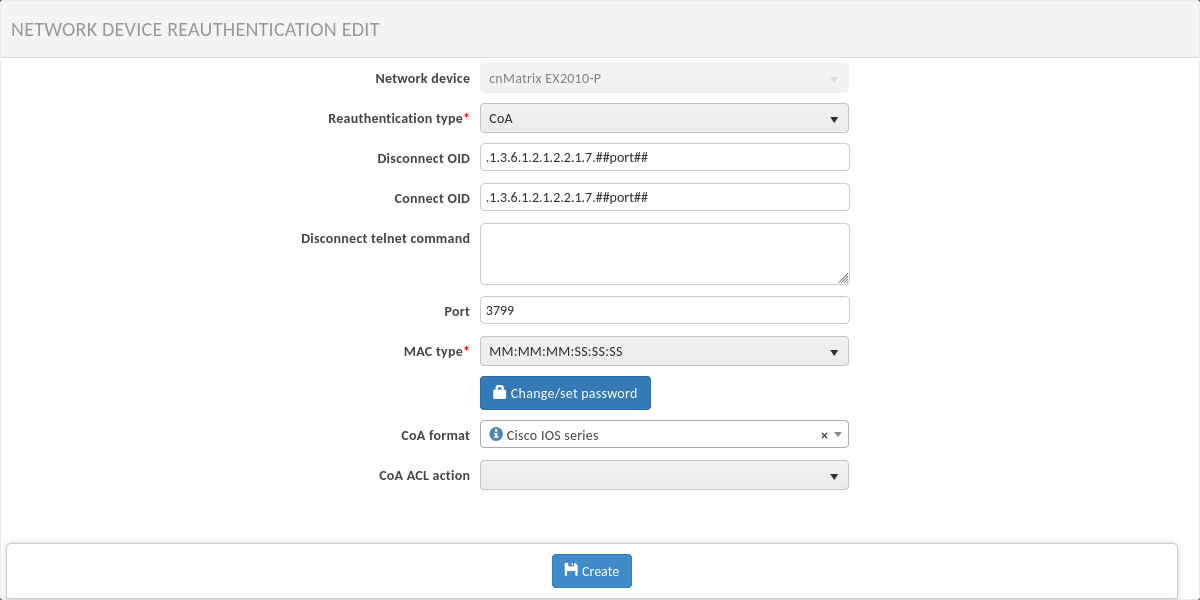
In NACVIEW, the following reauthentication settings should be set:
port 3799
MAC address format: MM-MM-MM-SS-SS-SS
password identical to the RADIUS server password
CoA format: Cisco IOS