Import to VMware ESXi🔗
NV3 was tested on ESXi version 8.0U3e, although it should work without problems on any other ESXi version which is supported by the manufacturer.
Prerequisites🔗
Requirements for virtal machine are listed here.
Import of the image🔗
Download image from here.
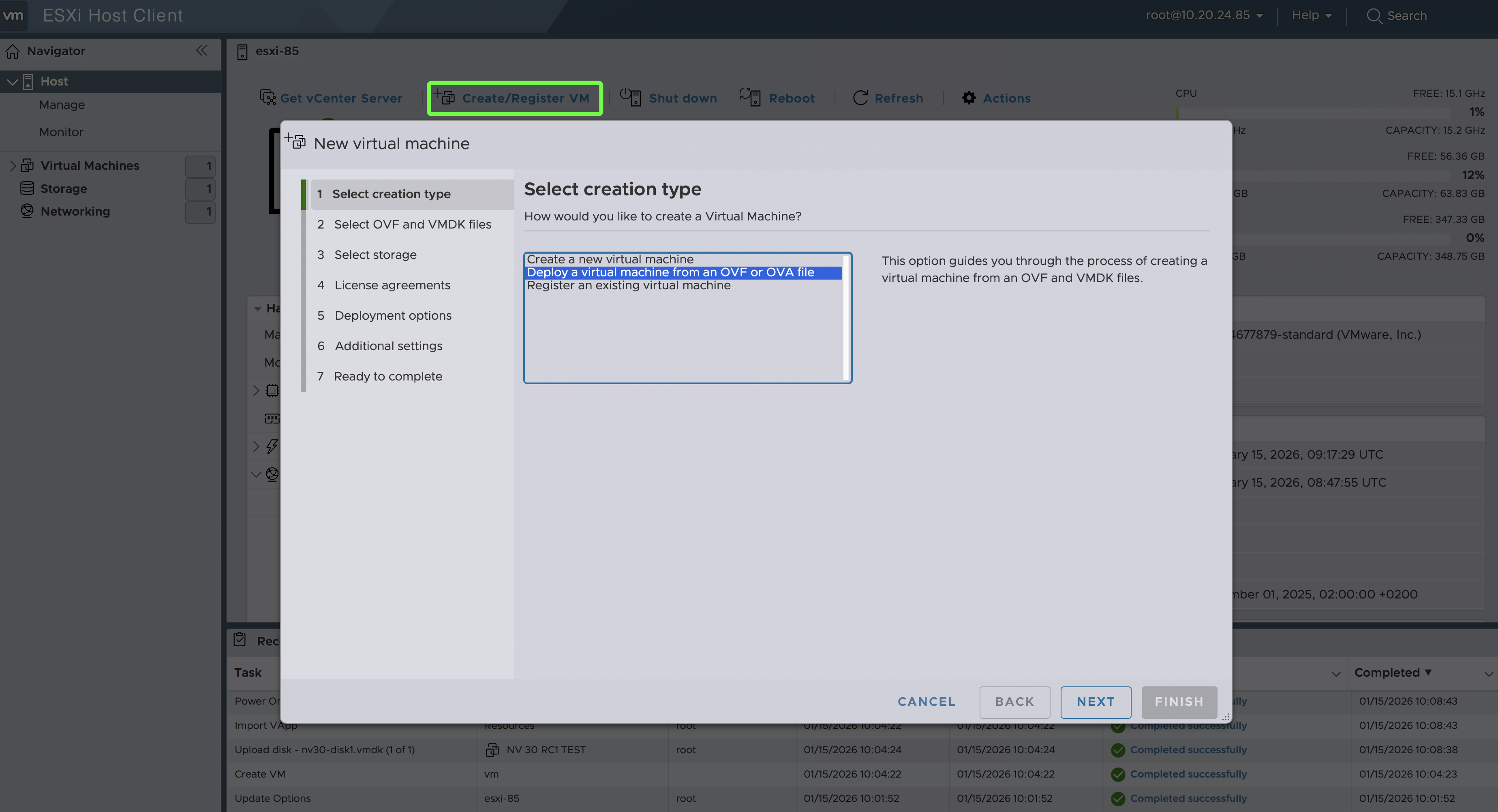
Log in to the ESXi Host Client. From the top menu, click *Create/Register VM*, then select the middle option *Deploy a virtual michine from…*. Click the NEXT button.
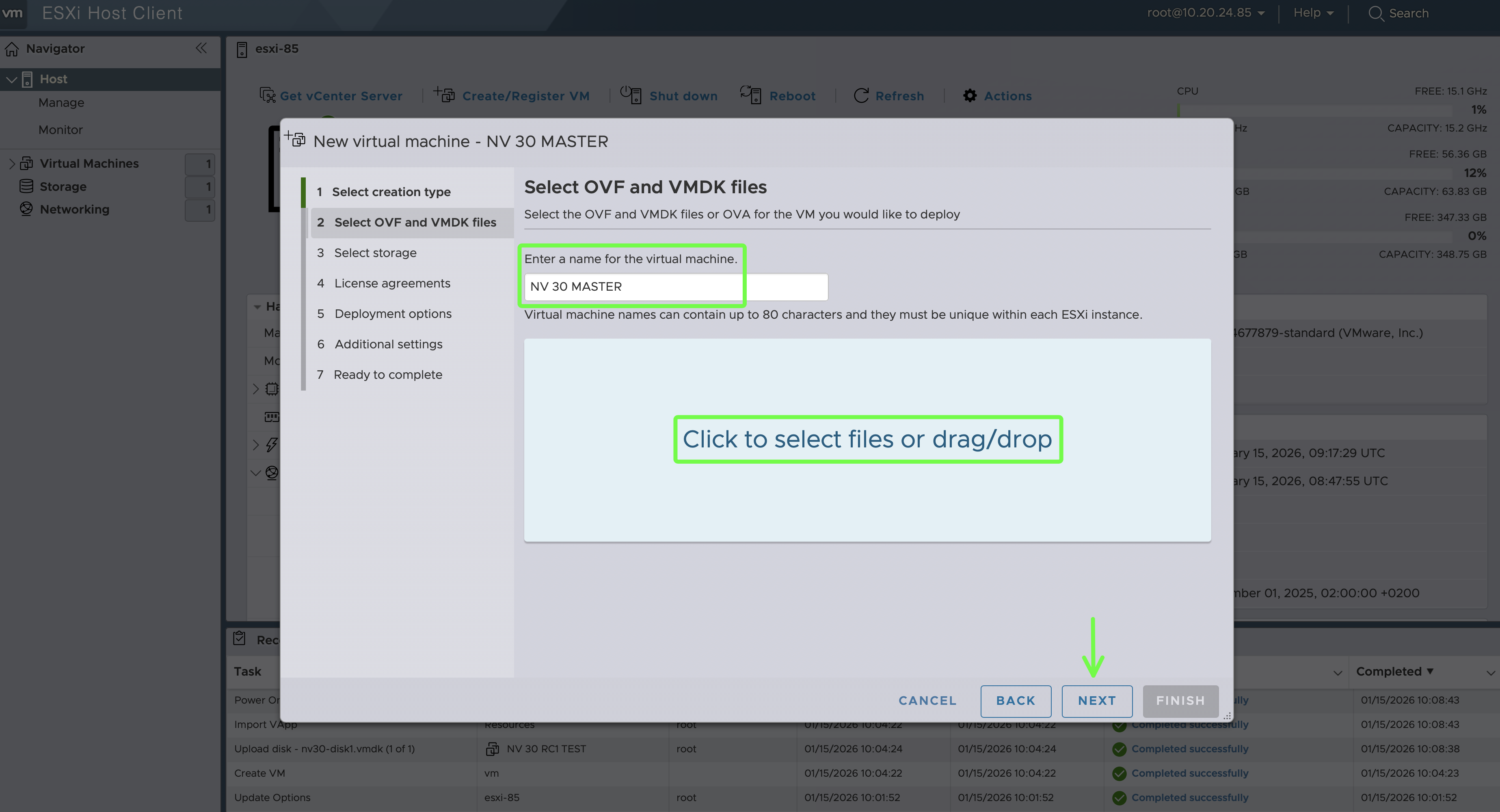
Set the VM name and upload the NACVIEW .ova file.
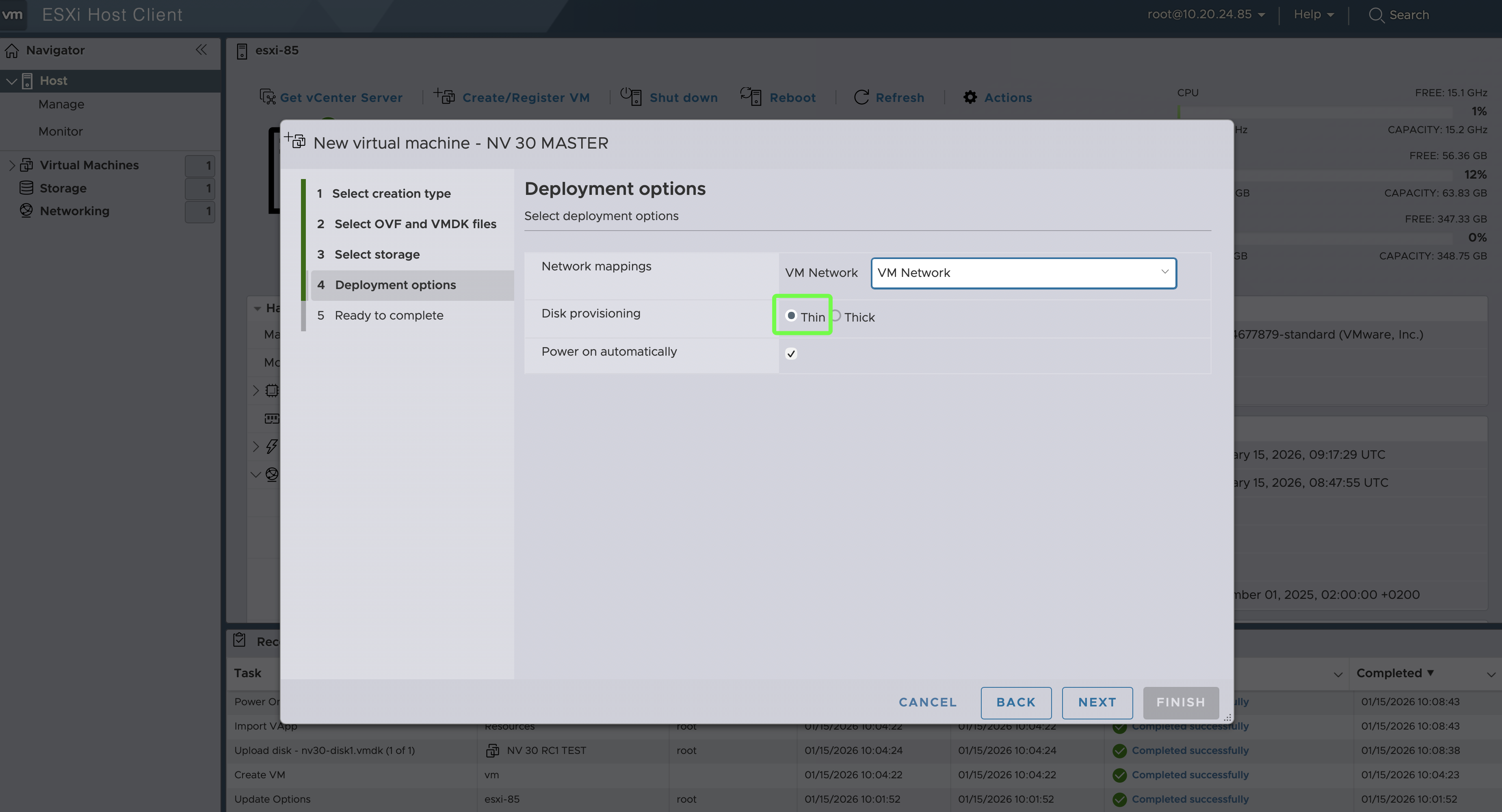
Select the appropriate VM Network, set the *Disk provisioning* parameter to Thin.
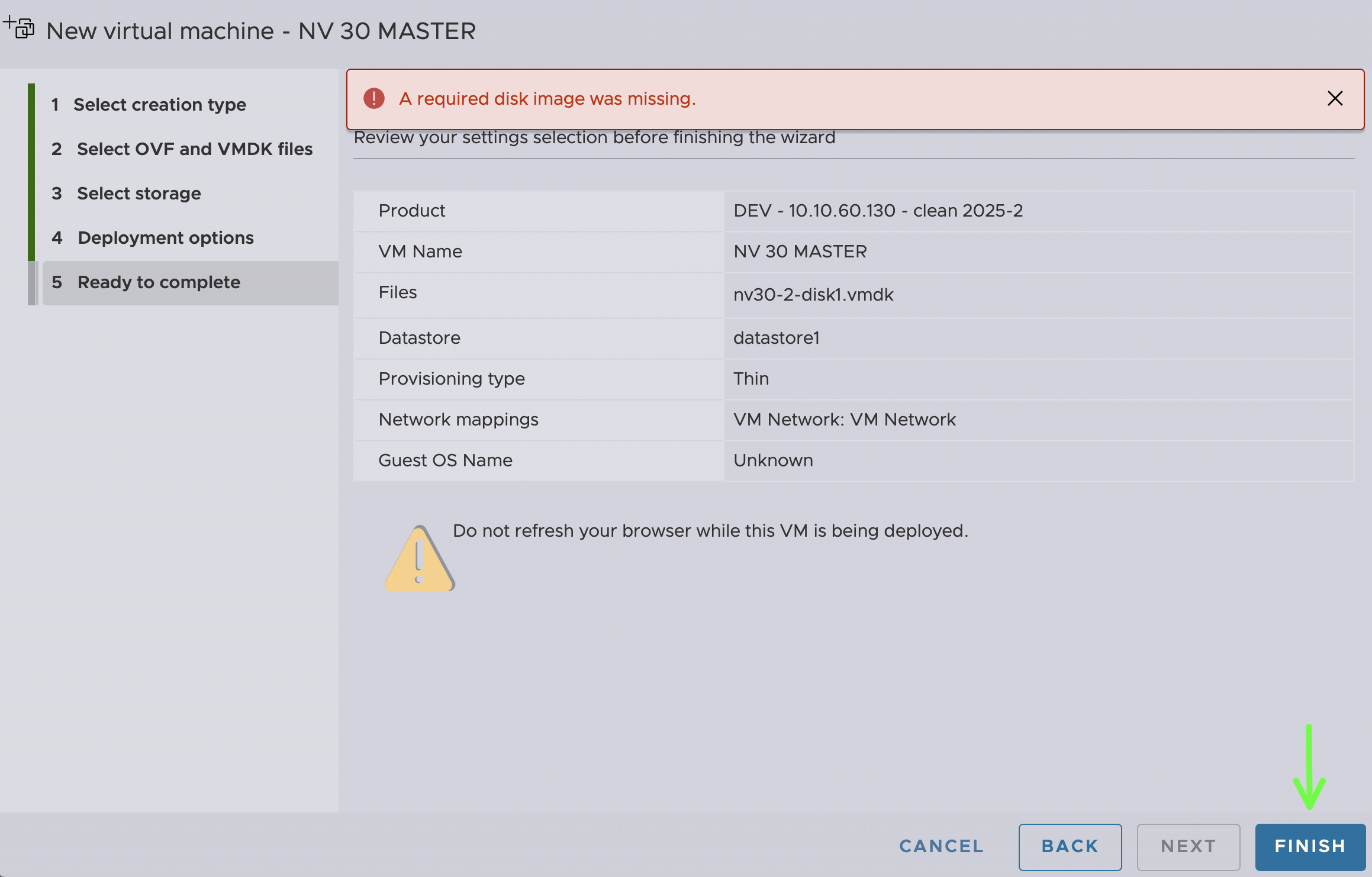
Click the IMPORT button. If the message ‘A required disk image was missing’ appears, ignore it.
If I left the *Power on automatically* setting selected, NACVIEW will start after the VM import is complete.